Key Features & Benefits
Good to know
Print, copy and scan using 3-in-1 functionality
Low running costs with a refillable MegaTank ink system
Print resolution up to 4800 × 1200 dpi
Prints double-sided automatically
Print photos without borders
Cloud and Wi-Fi connectivity
100-sheet paper capacity
3.4 cm LCD screen
Maintenance cartridge can be replaced by the user
Works with AirPrint and Canon mobile apps
What makes it great
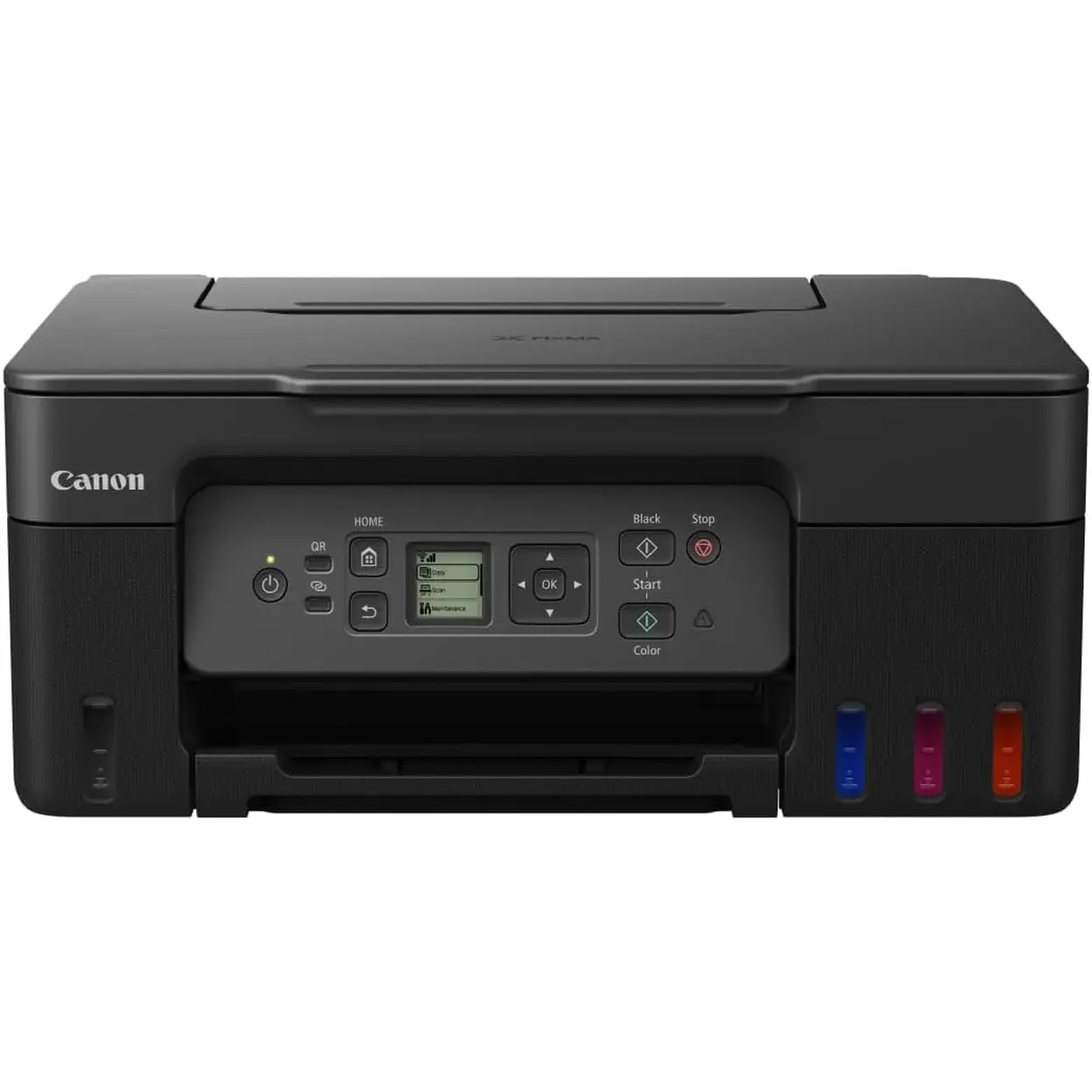
With the PIXMA G3570, you get a strong mix of economical running costs and quality printing. Its refillable tank design helps lower ink costs versus traditional cartridge printers, suiting high-volume printing at home.
Its wireless flexibility is a real plus. Setup stays quick and hassle-free, whether you’re sending homework from a tablet, laptop documents or smartphone photos. Auto duplex printing and borderless photo output keep things simple while adding a professional finish. For everyday productivity, it’s a practical and reliable all-rounder.
Cashback Promotion for Canon MegaTank
Product Details
Built for busy homes, the Canon PIXMA G3570 combines print, copy and scan functions in a compact 3-in-1 printer made to help reduce running costs while maintaining quality. Its refillable Canon MegaTank ink system supports a very low lifetime total cost of ownership. Suitable for everyday printing, home working and student use, it produces crisp documents and colourful images with resolution up to 4800 × 1200 dpi, and also offers borderless photo printing. Integrated Wi-Fi lets you print from laptops, desktops and smart devices, with AirPrint and Canon PRINT Inkjet/SELPHY support for straightforward smartphone printing. For easy operation, the PIXMA G3570 has simple button controls, a 3.4 cm LCD display and a user-replaceable maintenance cartridge. No-squeeze, no-mess refill bottles make ink top-ups fast and tidy, helping cut waste and downtime. A 100-sheet rear paper capacity and automatic duplex printing help manage daily jobs efficiently while using less paper.
Offer runs 1–31 March 2026
Eligible models include:
£40 Cashback on Canon PIXMA G3570
£120 Cashback on Canon PIXMA G650
£120 Cashback on Canon MAXIFY GX6150
Buy an eligible product during the promotional period, then submit your cashback claim online. Claim your cashback here: https://www.canon.co.uk/offers/MegaTank-cashback-march-2026 Terms & Conditions: https://www.canon.co.uk/offers/MegaTank-cashback-march-2026/terms-and-conditions
Printer Cartridge Refills
Fill the MegaTank ink system using the no-squeeze refill bottles. Monitor ink levels often and top up when required to keep printing continuously.
Print and Connection Options
Use the printer’s wireless features to print smoothly from laptops, tablets and smartphones. For mobile printing, download the Canon PRINT Inkjet/SELPHY app or use AirPrint.
Safety Warnings
Ink Handling
: When refilling ink, handle bottles with care to avoid spills. Follow instructions to ensure proper refilling and minimize the risk of mess or contamination.
Physical Surroundings
: Ensure stable placement of the printer on a flat surface to prevent any risk of tipping over during operation. Avoid exposure to extreme temperatures or direct sunlight that may affect printer performance.
Connecting Devices
: Protect your Wi-Fi network against unauthorised access, helping the printer communicate reliably with paired devices. Keep software and firmware updated for best performance and security.
Type: Inkjet 3-in-1 printer
Functions: Print / Copy / Scan
Connectivity: Wi-Fi, Cloud, Mobile printing
Paper Capacity: 100 sheets
Display: 3.4 cm LCD
Duplex Printing: Yes (automatic)
Photo Printing: Borderless supported
Ink System: Refillable MegaTank
Best for: Home use, students, small office
Setup, Usage & Compatibility
Usage Instructions
Initial Setup
: Take the Canon PIXMA G3570 out of the box and plug it into a power source. Use the LCD prompts to complete printer setup, including Wi-Fi configuration for network printing.