



Product Description
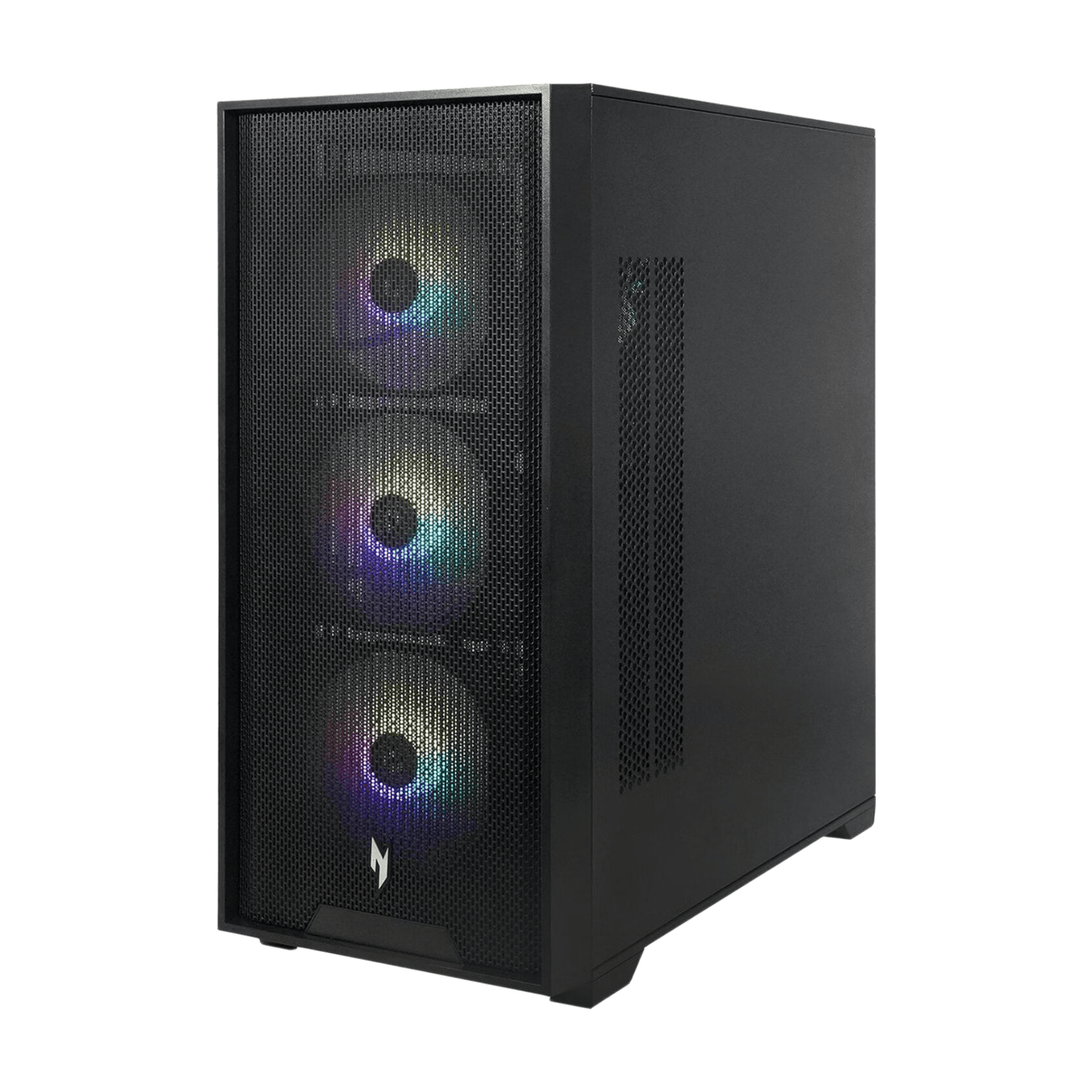
The Acer Nitro N70 is a high-performance gaming desktop built around one of the most capable CPU-and-GPU combinations available today. At its heart is the AMD Ryzen 7 9800X3D, a processor equipped with second-generation 3D V-Cache that dramatically reduces data access latency, and the NVIDIA GeForce RTX 5080 with 16GB of GDDR7 memory, a Blackwell-architecture graphics card positioned in NVIDIA’s upper tier. Together with 32GB of DDR5 memory and a 2TB SSD, this configuration is designed to sustain high frame rates in competitive titles, handle high-resolution gaming with ray tracing enabled, and remain comfortable with streaming, rendering, and editing workloads for years to come. A 360mm liquid cooling system keeps the system composed under sustained load, while Wi-Fi 7 and a ventilated, upgrade-friendly chassis round out a machine that is as practical as it is powerful.
AMD Ryzen 7 9800X3D with 3D V-Cache
The Ryzen 7 9800X3D is an 8-core, 16-thread processor from AMD’s Zen 5 “Granite Ridge” generation, clocked at a 4.70GHz base with a maximum boost of 5.20GHz. Its defining feature is AMD’s second-generation 3D V-Cache, which stacks additional cache directly on the compute die to lower memory latency and improve frame consistency—particularly in games that are sensitive to cache size and memory access patterns. In practice, this makes the 9800X3D one of the strongest gaming CPUs available, capable of feeding high-end graphics cards without creating a CPU bottleneck in demanding titles. The processor’s 96MB of combined cache (as configured in this system) further supports its role as a long-term gaming foundation.
NVIDIA GeForce RTX 5080 with 16GB GDDR7
The GeForce RTX 5080 is a Blackwell-architecture GPU with 10,752 shader units, a 256-bit memory bus, and 16GB of GDDR7 VRAM. It occupies NVIDIA’s upper-performance tier, delivering the headroom for high-refresh-rate gaming at 1440p and 4K, as well as ray-traced workloads and DLSS-accelerated experiences. The 16GB frame buffer is generous for modern titles and also makes the system well suited to content creation tasks such as video editing and 3D rendering. Acer positions the Nitro N70 as a machine that is “locked and loaded for high-res, high-FPS gaming,” and independent analysis notes that the RTX 5080 should provide enough power for streaming, rendering, editing, and gaming over the coming years.
32GB DDR5 Memory & 2TB SSD Storage
The system ships with 32GB of DDR5 memory in a 2×16GB dual-channel configuration, with the platform supporting up to 128GB for future expansion. This capacity is ample for heavy multitasking, large game libraries, and creative applications that benefit from additional memory headroom. Storage is handled by a 2TB NVMe SSD (PCIe Gen 4), providing fast boot times, quick game loads, and enough space to build a substantial library of games and media. Two M.2 slots are available internally, and the platform also supports additional SATA storage for further expansion.
360mm Liquid Cooling & Upgrade-Friendly Chassis
Thermal management is a priority in the Nitro N70. The CPU is cooled by a 360mm AIO liquid cooler (Acer brands this as Nitro CycloneX 360 in some materials), featuring a large radiator and three fans to sustain performance during extended gaming sessions. The chassis is designed with a ventilated front panel and multiple fans to promote airflow across the GPU and other components. Acer explicitly positions the Nitro 70 AMD as an “upgradeable” desktop: the case provides access to internal components for future RAM, storage, and graphics card upgrades, and the included glass panels let you see the hardware and lighting inside. The system measures 513.1 × 216.4 × 490.27 mm (H × W × D) and weighs approximately 15kg.
Wi-Fi 7, Gigabit Ethernet & Comprehensive Connectivity
Networking is handled by dual-band Wi-Fi 7 (802.11be, 2×2) and a 2.5GbE Ethernet port, giving you low-latency options for online gaming and fast local transfers. Bluetooth 5.4 supports wireless peripherals and accessories. The front and rear I/O includes USB-C × 2, USB 3.2 Gen 1 Type-A × 4, USB 2.0 × 2, HDMI 2.0 × 1, DisplayPort × 1, and three 3.5mm audio jacks, covering the needs of multi-monitor setups, VR headsets, and wired audio devices. DTS:X Ultra audio processing is included for immersive sound through compatible speakers or headsets.
Windows 11 Home & NitroSense Control
The Nitro N70 ships with Windows 11 Home pre-installed, ready for the latest games and software. Acer’s NitroSense control center gives you centralized access to system monitoring, fan profiles, and performance settings, so you can adjust cooling and acoustics to suit the task at hand. The system also supports Acer Intelligence Space (AIS) features, though availability varies by region and some functions require an active internet connection and supported hardware.
What's in the Box
1 x Acer Nitro N70 Gaming Desktop (N70X3D-100)
1 x Power Cable (3-pin)
1 x Setup Guide
Usage Instructions
Setup: Connect the power cable, monitor, keyboard, and mouse, then power on the system. Follow the on-screen Windows 11 setup prompts to connect to a network and sign in with your Microsoft account.
NitroSense: Launch NitroSense from the Start menu or the dedicated key to monitor temperatures, adjust fan speeds, and select performance profiles. Use it to balance acoustics and cooling based on your workload.
Upgrades: The chassis provides access to memory slots, M.2 storage bays, and the graphics card for future upgrades. Power down and unplug the system before opening the case, and follow anti-static precautions.
Display Connections: Connect your monitor to the DisplayPort or HDMI output on the graphics card (not the motherboard) for optimal performance and to ensure the system uses the RTX 5080.
Safety Warnings
Power: Use only the supplied power cable and a properly grounded outlet. The system includes a high-wattage power supply; do not use an undersized or uncertified PSU. Unplug the system before opening the case or performing upgrades.
Cooling & Ventilation: The 360mm liquid cooler and chassis fans require unobstructed airflow. Do not block the front intake or rear exhaust vents, and avoid placing the desktop on carpet or in an enclosed cabinet. Keep the system away from heat sources and direct sunlight.
Liquid Cooling: The AIO liquid cooler contains a sealed loop. Do not attempt to open, puncture, or refill the cooler. If you observe leakage or unusual pump noise, power down the system and contact Acer support.
Cryptocurrency Mining: Acer explicitly states that this product is not designed for cryptocurrency mining, and damage arising from mining or related activities is excluded from the warranty.