Key Features & Benefits
Satellite capabilities
— Use Emergency SOS via satellite when service or Wi-Fi is unavailable. During a serious car crash, iPhone can automatically contact emergency services. STRONGER CONNECTIONS. SUPERFAST SPEEDS. — Keep connected at rapid speeds with Wi-Fi 7, 5G, Bluetooth 6 and seamless eSIM.
Product Details
iPhone Air handset
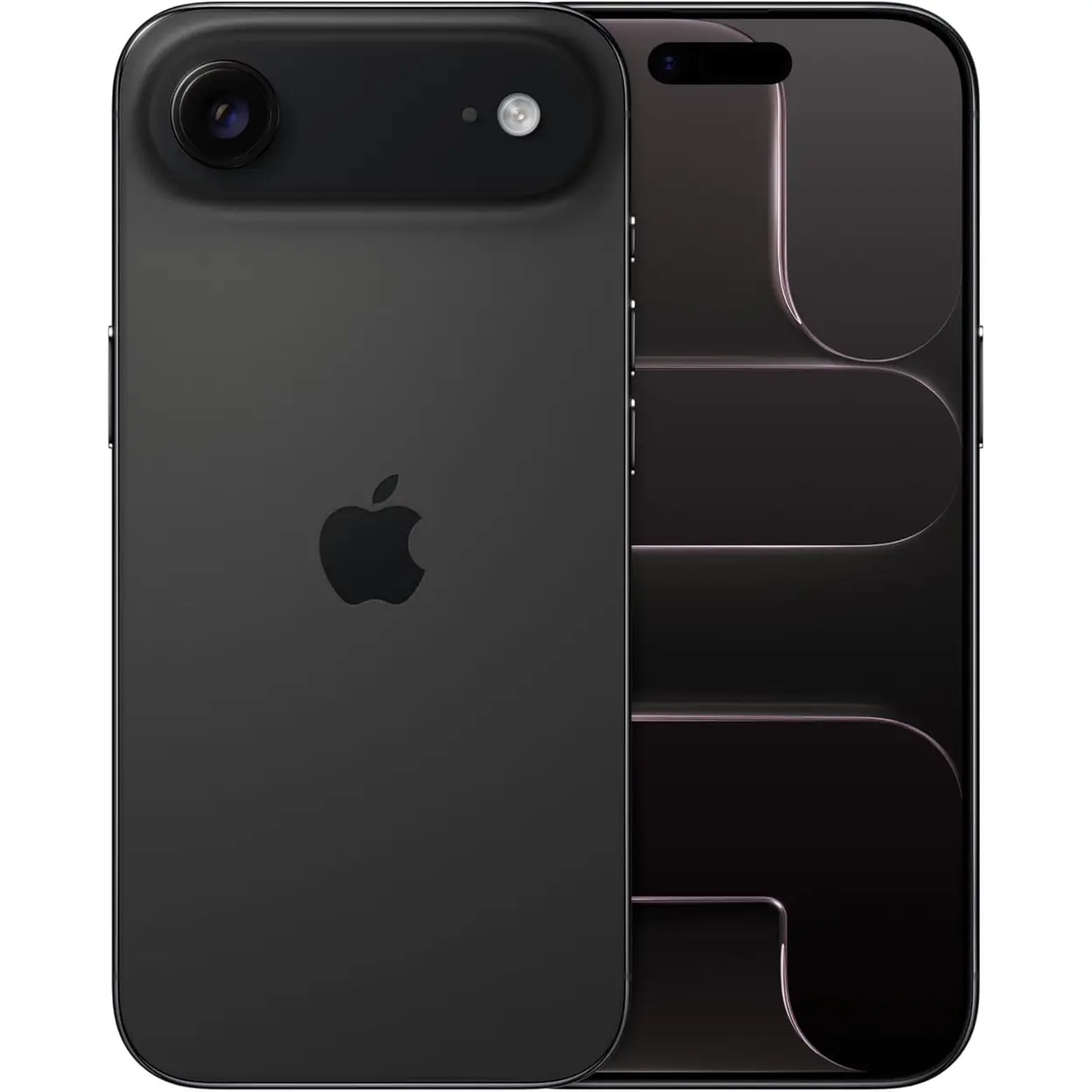
Apple’s slimmest iPhone to date. Features a 6.5-inch display, Ceramic Shield on the front and back, an A19 Pro chip, a 48MP Fusion camera system and a Center Stage front camera. ULTRA-SLIM. IMPRESSIVELY LIGHT. BUILT STRONG. — Measuring just 5.6mm, iPhone Air feels barely there in your hand while delivering pro-chip power in an exceptionally slim, lightweight design.
Toughest iPhone yet
— iPhone Air combines an ultralight titanium frame with rear Ceramic Shield for 4× greater crack resistance, plus all-new Ceramic Shield 2 on the front for 3× improved scratch resistance.
Two high-tech cameras combined
— Frame ideal shots without shifting position using the 48MP Fusion camera system and 2× optical-quality zoom.
18MP front camera with Center Stage
— Capture smarter group selfies, frame shots more flexibly, and use Dual Capture video to record from the front and rear cameras simultaneously. A19 PRO CHIP. HYPERSPEED. HYPER-EFFICIENT. — Pro performance comes from the most efficient iPhone chip ever, built for a breakthrough design that is thin and light.
Long-lasting battery power
— Video playback lasts up to 27 hours, giving you dependable all-day power. iOS 26. FRESH STYLE. MORE MAGIC. — Liquid Glass refreshes the design, with a vibrant Lock Screen, customisable wallpapers, polls in Messages, Call Screening and more.
Designed for Apple Intelligence
— Private, personal and powerful tools for effortless writing, creating and everyday tasks.
Versatile, protected eSIM
— Secure, convenient eSIM connectivity helps make international travel simpler while supporting greater privacy. PRIVACY BUILT IN. — Privacy and security are core to iPhone Air, engineered into the design from the start.
Safety Warning
Use only as intended and according to the manufacturer’s instructions. Keep out of reach of small children. Avoid exposure to moisture, extreme temperatures, or direct sunlight. Use only approved chargers and accessories. Do not attempt to disassemble or modify the device. Unplug before cleaning or maintenance. Clean with a soft, dry cloth.
Returns Information
Please note: once this product has been opened, it is no longer eligible for return or exchange. Notice: To ensure fair access for everyone, this product is limited to one unit per customer. Joybuy may review orders and cancel additional purchases if it reasonably determines that multiple units of the same product have been ordered by or on behalf of the same customer. This limit applies across all accounts, addresses, and ordering methods.
Setup, Usage & Compatibility
Usage Instructions
Charge the device using the supplied or approved charger and cable.
Press and hold the side button to turn it on.
Use the prompts shown on the screen to configure your device.
Install apps and software updates from official sources only.
Clean the screen and device with a soft, dry cloth; keep both free from dirt.
When not being used, keep the device somewhere cool and dry.