



Product Description
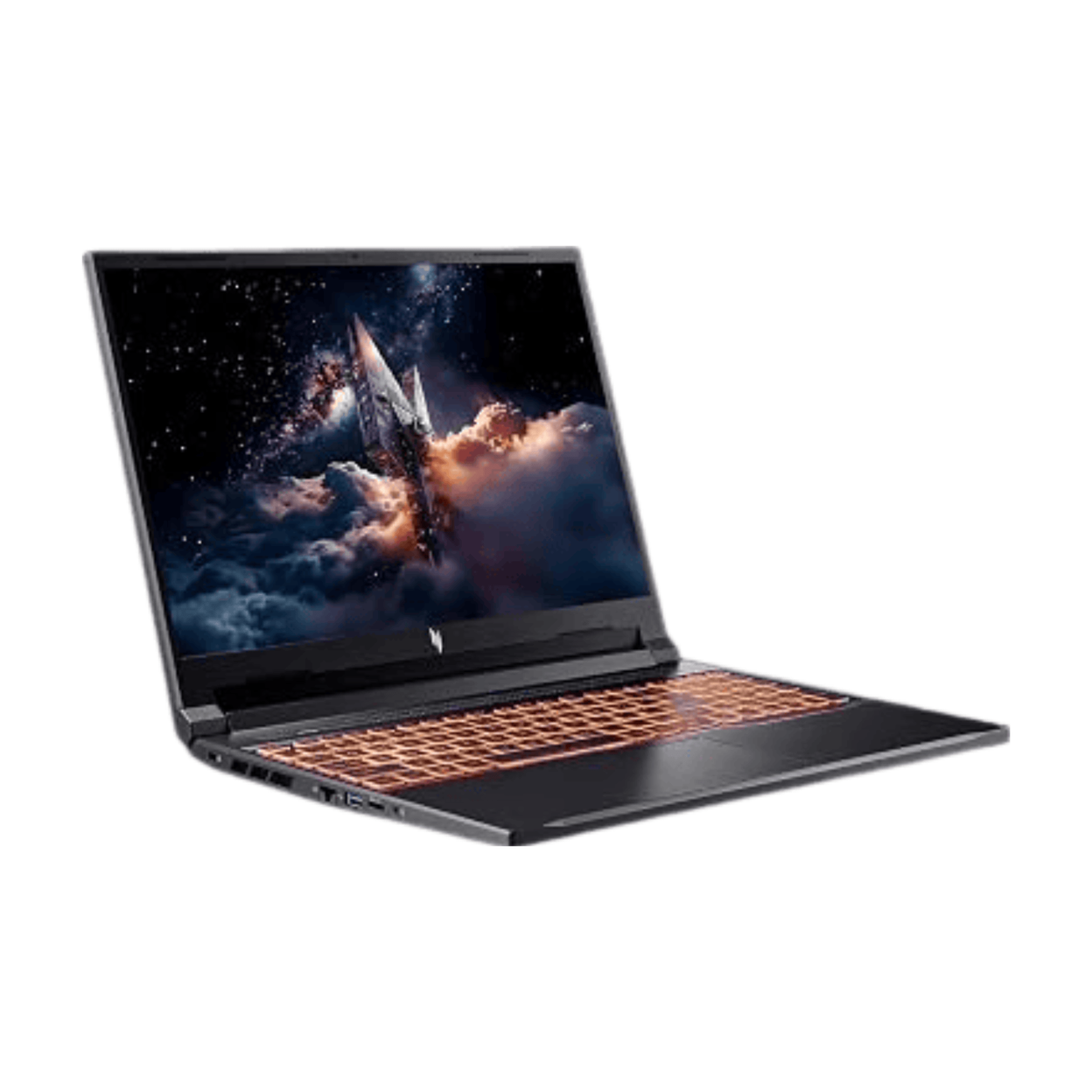
The Acer Nitro V16 AI ANV16-42 is a mid-range gaming laptop that pairs the AMD Ryzen 5 240 processor with the NVIDIA GeForce RTX 5060 Laptop GPU, 16GB of DDR5 memory, and a 1TB PCIe NVMe SSD. Its 16-inch WUXGA IPS display runs at a fast 165Hz refresh rate (with 180Hz available on select configurations), giving competitive players the smooth motion they need without stepping up to a premium price bracket. A 76Wh battery delivers genuinely impressive endurance for a gaming laptop, and the chassis runs cool under sustained load. With Wi-Fi 6E, USB4, and an NPU that enables Copilot+ PC features in Windows 11, the Nitro V16 AI balances gaming performance, everyday usability, and on-device AI capability in a practical, budget-conscious package.
AMD Ryzen 5 240 with Zen 4 Architecture
The AMD Ryzen 5 240 is a 6-core, 12-thread processor based on AMD’s Zen 4 architecture, running at a 3.8GHz base clock with a boost clock of up to 5.0GHz (5.1GHz in some listings). Built on the Hawk Point-HS platform, it operates at 54W sustained and 65W short-burst power limits, balancing responsive everyday performance with manageable thermals in a laptop chassis. An integrated NPU (Neural Processing Unit) rated at 16 TOPS—combined with the GPU’s AI hardware—brings the total platform TOPS high enough to qualify the Nitro V16 AI as a Copilot+ PC, unlocking on-device AI features in Windows 11. The processor handles gaming, streaming, and productivity workloads comfortably, though it sits in the entry-to-mid-range tier rather than the high-end HX class.
NVIDIA GeForce RTX 5060 Laptop GPU with 8GB GDDR7
The GeForce RTX 5060 Laptop GPU pairs 8GB of GDDR7 memory with 95W of total graphics power (including 15W Dynamic Boost), delivering solid 1200p gaming performance with support for DLSS 4 and AI-enhanced rendering. Reviews of the Nitro V16 AI platform describe the gaming experience as “decent” and “surprisingly solid” for its price class, with the RTX 5060 representing a small but meaningful step above the base RTX 5050 configuration. The 8GB frame buffer is sufficient for modern titles at the laptop’s native 1920×1200 resolution, and the GDDR7 memory provides higher bandwidth than the previous generation of mid-range laptop GPUs.
16-Inch WUXGA IPS Display with 165Hz Refresh Rate
The 16-inch IPS display uses a 16:10 aspect ratio with a WUXGA resolution of 1920×1200, delivering 142 PPI of pixel density for sharp text and detailed game worlds. The 165Hz refresh rate (180Hz on select configurations) produces smooth motion in fast-paced shooters and racing games, while the anti-glare finish helps maintain visibility in bright rooms. The 16:10 panel provides more vertical screen space than a traditional 16:9 display, which is useful for productivity, web browsing, and strategy games. Color coverage is limited compared with premium gaming panels, so the display is best suited to gameplay and everyday use rather than color-critical creative work.
Battery / Playtime
The Nitro V16 AI is equipped with a 76Wh 4-cell lithium-ion battery, and independent reviews single out its endurance as a standout strength for a gaming laptop. Notebookcheck measured over 11 hours of Wi-Fi web browsing at 150 nits, and other outlets describe battery life that “mops the floor with the competition” and lasts “up to half a day of video playback.” For a machine with a discrete RTX 5060 GPU, this level of unplugged endurance is rare and makes the Nitro V16 AI unusually practical for students, commuters, and anyone who needs to work away from a wall outlet.
Connectivity & Usability
The Nitro V16 AI offers a broad port selection that covers modern and legacy peripherals alike. Connections include USB4 (40Gbps) with Power Delivery, USB 3.2 Gen 2 Type-A × 2, USB 3.2 Gen 1 Type-A × 1, HDMI 2.1, DisplayPort, Gigabit Ethernet, a 3.5mm audio jack, and a microSD card reader. Wireless connectivity is handled by Wi-Fi 6E and Bluetooth 5.3, providing fast, low-latency networking for online gaming and file transfers. The keyboard is a comfortable chiclet design with backlighting, and the touchpad is functional though not especially refined—many users will prefer an external mouse for gaming.
Design, Cooling & Upgradeability
The chassis measures 24.5 × 360 × 275.6 mm and weighs 2.44 kg, making it a reasonably portable 16-inch gaming laptop rather than a desk-bound desktop replacement. The design is practical over pretty—a black plastic body with a silver Nitro logo—prioritizing function and affordability over premium materials. Cooling is a strength: reviews note that the system runs cool under load, and the internal layout provides access to two M.2 2280 SSD slots (one occupied, one free) and two SO-DIMM memory slots (both populated with 2×8GB DDR5-5600), giving you a clear path to future storage and memory upgrades. The built-in stereo speakers are weak, so a headset or external speakers are recommended for immersive audio.
What's in the Box
1 x Acer Nitro V16 AI ANV16-42 Gaming Laptop
1 x Power Adapter
1 x Power Cord
1 x Quick Start Guide
Usage Instructions
Setup: Connect the power adapter, open the lid, and press the power button. Follow the on-screen Windows 11 setup prompts to connect to Wi-Fi and sign in with your Microsoft account.
Display & Refresh Rate: The 165Hz panel is enabled by default. If your configuration supports 180Hz, verify the refresh rate in Settings > System > Display > Advanced display.
Gaming & Graphics: For best performance, connect the laptop to power and launch games through the dedicated RTX 5060 GPU. Use NVIDIA Control Panel or GeForce Experience to manage graphics settings and DLSS 4 where supported.
Upgrades: The laptop provides access to two M.2 SSD slots and two SO-DIMM memory slots. Power down, unplug the adapter, and follow anti-static precautions before opening the bottom panel.
Safety Warnings
Power: Use only the supplied power adapter and a properly grounded outlet. The laptop includes a high-wattage power supply; do not use an undersized or uncertified adapter. Unplug the system before performing upgrades.
Cooling & Ventilation: Do not block the rear or bottom ventilation vents. Avoid placing the laptop on soft surfaces such as beds or cushions that can obstruct airflow. Keep the system away from heat sources and direct sunlight.
Battery: The battery is non-removable and should be serviced only by an authorized technician. Do not puncture, crush, or expose the battery to extreme temperatures. Follow local regulations for lithium-ion battery disposal.
Speakers: The built-in stereo speakers are modest in output. To avoid distortion at high volume and to protect your hearing, use external speakers or headphones for extended listening.