



Product Description
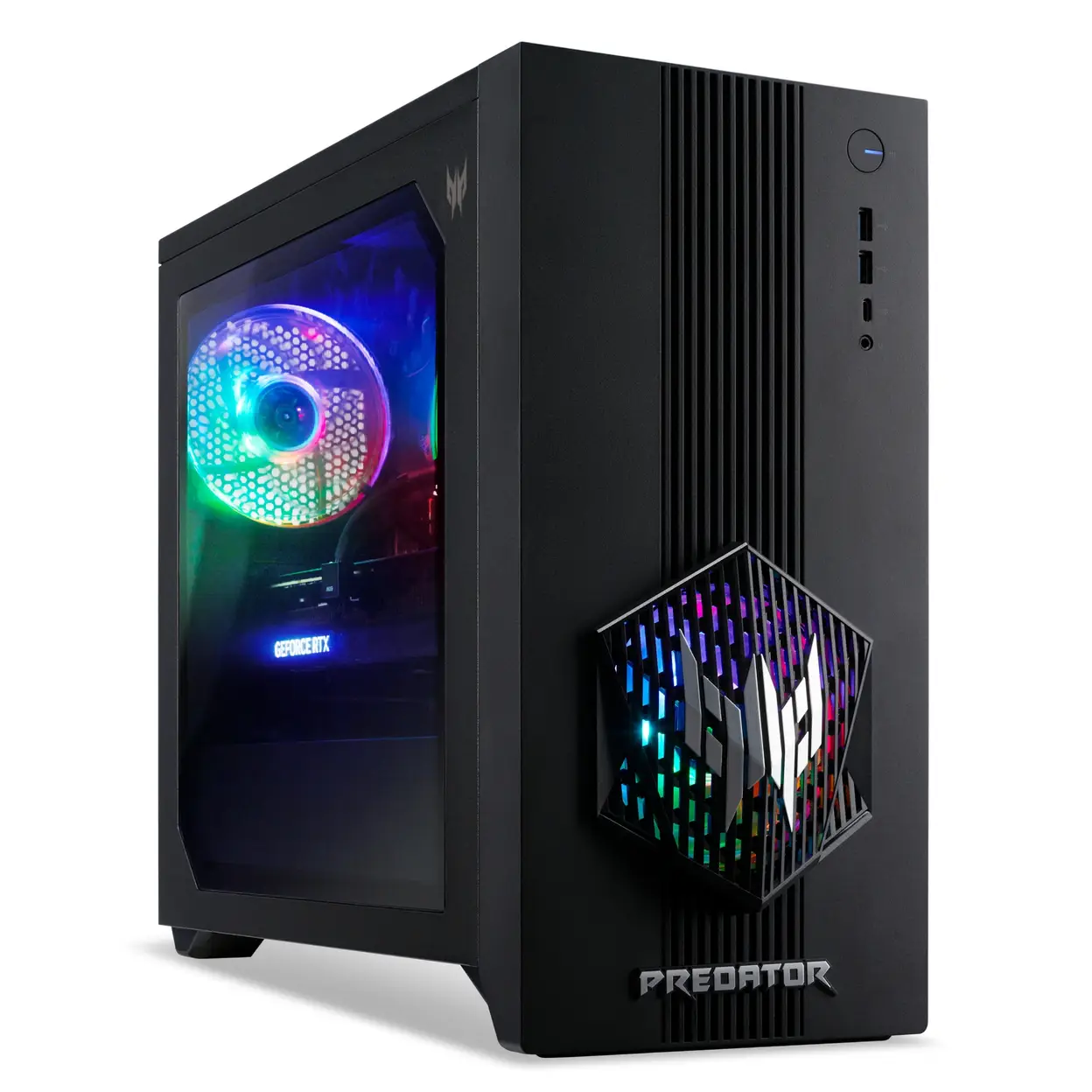
The Predator PO3-665 is a high-performance gaming desktop designed for competitive gamers and creators, offering the power, advanced cooling engineering, and maximum upgradability they demand. Equipped with the Intel Core i5-14400F processor from the 14th generation and the latest NVIDIA GeForce RTX 5060 graphics card, it delivers outstanding frame rates and stunning visual fidelity for the most demanding AAA games and creative workloads.Its purpose-built FrostBlade 2.0 cooling system ensures consistent peak performance under heavy loads, while the tool-free accessible case and intelligent ARGB lighting offer a perfect blend of powerful aesthetics and user-friendly customization. This machine is designed to dominate every gaming marathon and intensive project with ruthless efficiency.
What You Need to Know
Intel Core i5-14400F Processor from the 14th Generation: Offers superior gaming performance and multitasking efficiency with an updated architecture, easily handling modern games and applications.
NVIDIA GeForce RTX 5060 Graphics Card: Featuring the latest Ada Lovelace architecture, offering advanced ray tracing technology, AI-powered DLSS 3.5 for maximum frame rates, and stunning visual detail.
FrostBlade 2.0 Cooling Technology: With specially designed fans featuring dust protection channels and multiple airflow zones, ensuring optimal temperatures for CPU and GPU during intense use.
PredatorSense Control Center: A dedicated software hub for overclocking CPU/GPU, customizing ARGB lighting, monitoring system status, and creating custom performance profiles.
High-Speed 16GB DDR5 Memory: Provides ample bandwidth for smooth, stutter-free gaming and efficient multitasking across games, streaming apps, and browsers.
Fast 512GB NVMe M.2 SSD: Enables near-instant game loading times, quick system boot, and rapid access to files and applications.
Tool-Free Case Access: Allows users to easily upgrade and maintain components like RAM and storage without the need for specialized tools.
Preinstalled Windows 11 Home: Comes with the latest operating system preinstalled, optimized for gaming with features like DirectStorage and Auto HDR.
Why We Like It
The Predator PO3-665 combines cutting-edge performance, intelligent cooling, and gamer-centric design. It leverages the raw power of an Intel processor from the 14th generation and an NVIDIA RTX 5060 graphics card, ensuring you’re ready for the games of today and tomorrow. The FrostBlade 2.0 cooling system is the unsung hero of this machine, maintaining consistent performance under heavy loads. Beyond hardware specifications, the tool-free access to the case and the comprehensive PredatorSense software allow users to easily customize settings, making it not only ideal for gaming but also a pleasure for customization. This is a no-compromise gaming desktop for gamers who want to stay ahead of the curve, not just follow it.
Technical Specifications
Instructions for Use
Unboxing & Setup
Carefully remove the heavy case. Place it on a sturdy, stable surface with good ventilation, away from heat and moisture
Initial Connection
Connect the included power cable from the case to the mains outlet. Use monitor cables (HDMI/DisplayPort) to connect the graphics card to your display(s). Attach keyboard, mouse, and network (wired or wireless)
First Power-On
Press the power button on the front panel to start up. Follow on-screen instructions to complete Windows 11 initial setup
Drivers & Software Updates
Install critical updates via Windows Update when connected to the internet, and download the latest graphics card driver and PredatorSense application from the official Acer website
Using PredatorSense
Run PredatorSense to monitor hardware temperatures, adjust fan curves, overclock, and customize RGB lighting both inside and outside the chassis
Upgrades and Maintenance
Press the button on the back of the case to open the tool-free side panel for upgrades to memory or storage when the system is completely powered off and unplugged . Ensure you discharge static electricity before handling
Safety Warning
Electrical Safety
Use the provided power cable. Do not open the case or touch any internal components while powered on (i.e., when the power cable is connected to the socket) . Disconnect the power cable before any internal operation
Hot Surface Warning
While operating, internal components (especially CPU cooler, graphics card) and areas near exhaust vents can reach high temperatures . Do not touch the interior while powered on and ensure adequate ventilation around the case
Weight & Tip-over Risk
This device is very heavy (approx. 12.5 kg). Place on a stable surface to prevent falls or tip-over which could cause injury or damage
ESD Protection
Internal electronics are sensitive to static electricity. Ground yourself by touching a metal object or wearing an anti-static wrist strap before handling internal components
Radio Compliance
This device contains Wi-Fi/Bluetooth modules and complies with applicable radio regulations. May interfere with nearby medical devices - keep away
Country of Origin: China